Book a demo →

Home › Modules

8 Core Modules

Start with the financial core. Add operational modules as you grow.

Every module sits in one terminal—using the same validated ledger so P&L, job margins, crew cost, tax prep, and valuation never contradict each other.

Inside the terminal, each module comes with a video explanation.

01Live

Accounting & Bookkeeping

Upload CSV, OFX/QFX, or text PDF bank statements. Every uploaded file is hashed with SHA-256 in the original file vault, checked for exact and near duplicates, and tied out to the cent across 8 automated integrity checks.

  • Live: Company, personal, and split-line separation so owner spending never distorts P&L
  • Live: Monthly, quarterly, yearly, and daily P&L, cash flow curve, trial balance, and balance sheet
  • Live: 8-point Double-Check keeps unvalidated lines out of final totals
  • Coming soon: Automated live bank feeds (currently manual statement file upload)
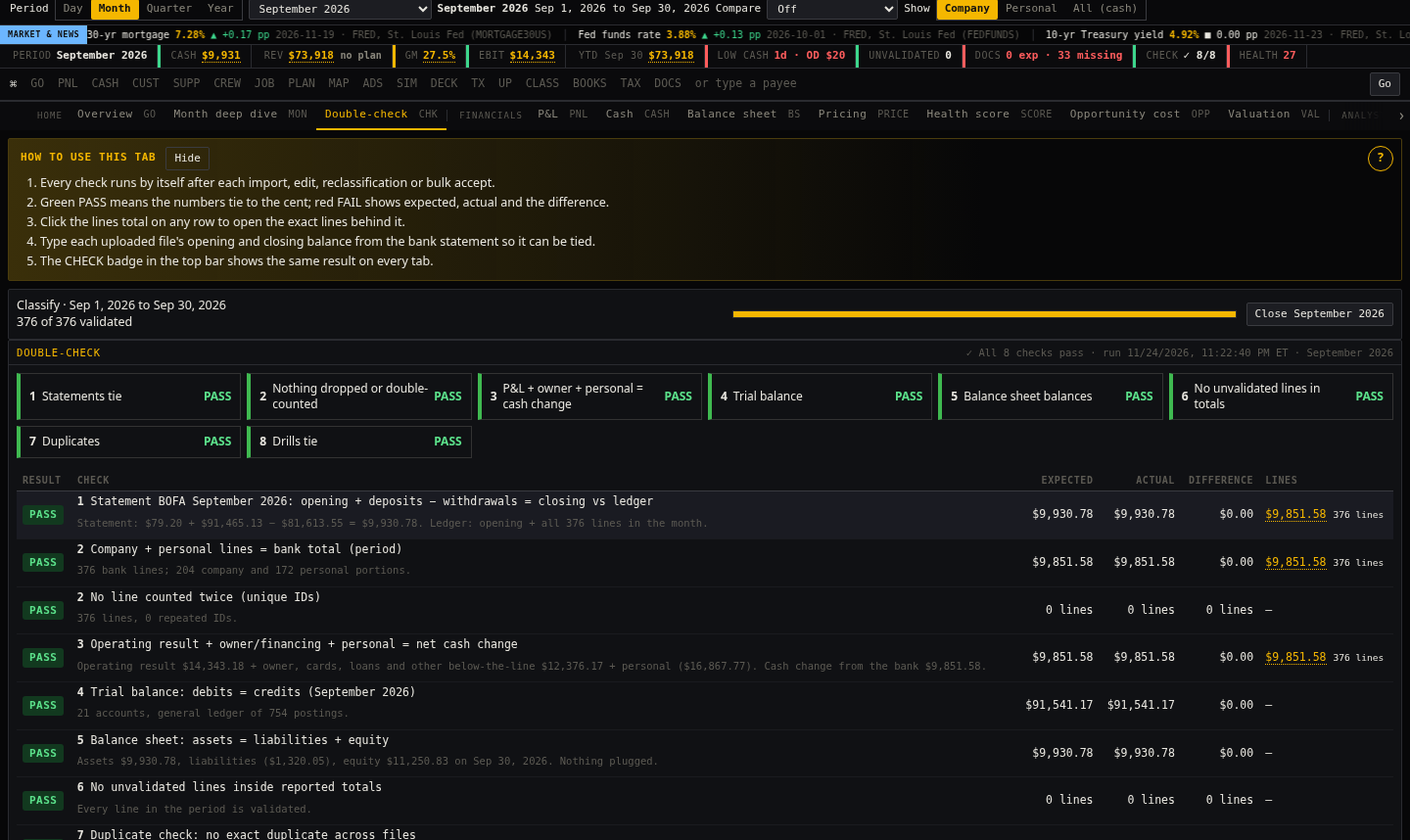
app.blackbrain.black3000.com / double-check
BlackBrain 8-point bank-statement tie-out screen
02Live

Tax Preparation & 1099 Watch

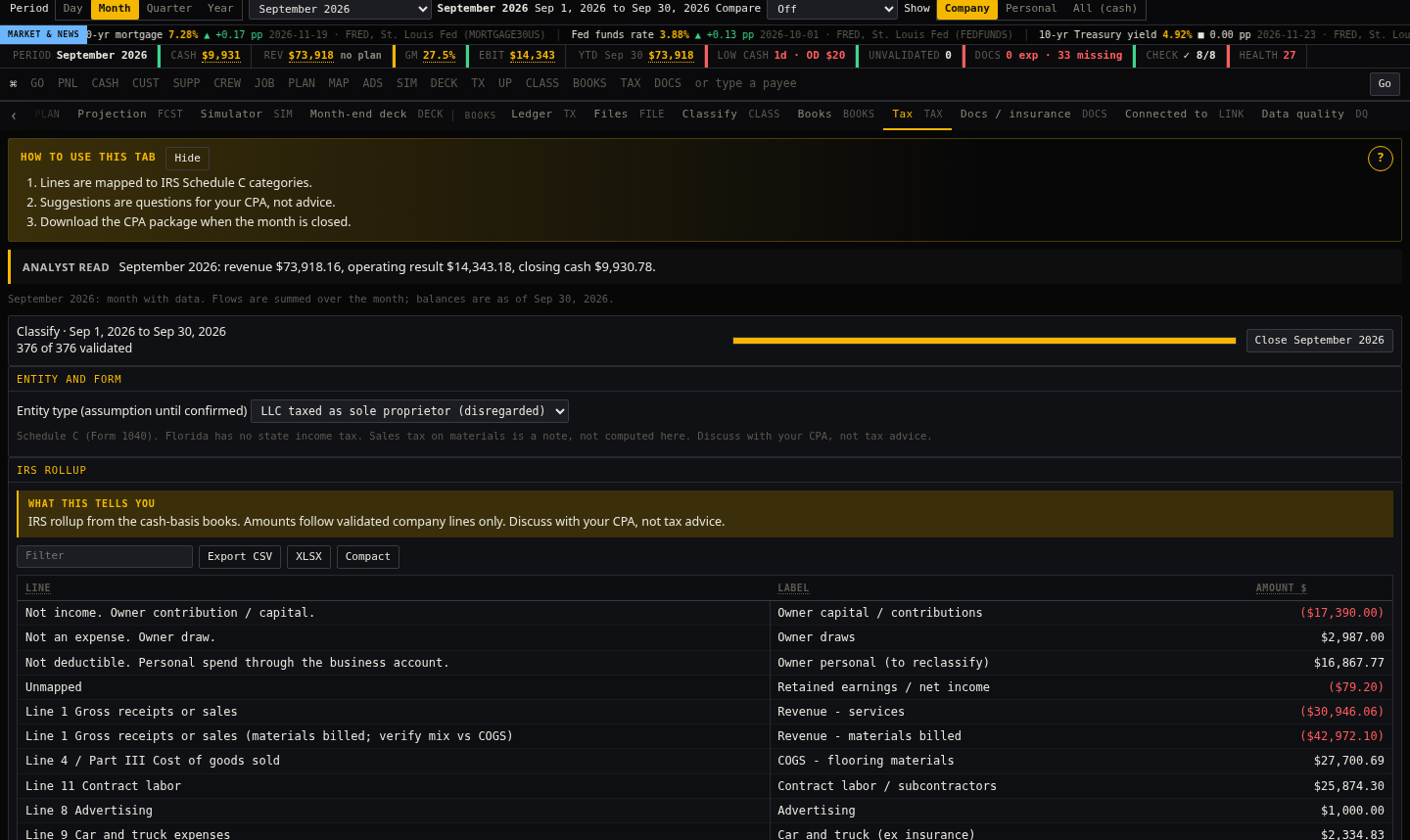
Validated company transactions roll up cleanly into IRS tax line summaries by entity type (LLC sole proprietor Schedule C, S-corp Form 1120-S) alongside a $600 1099-NEC vendor watchlist and quarterly 1040-ES tax calendar.

  • Live: IRS category rollup from validated company ledger lines only
  • Live: 1099-NEC vendor watchlist flagging subcontractors approaching or above $600
  • Live: Planning tax reserve toggle and quarterly estimated tax calendar
Tax rollup and watchlist views are planning tools to share with your CPA, not tax or legal advice.
app.blackbrain.black3000.com / tax
BlackBrain Tax IRS rollup screen
03Live + Coming soon

Projects & Estimates

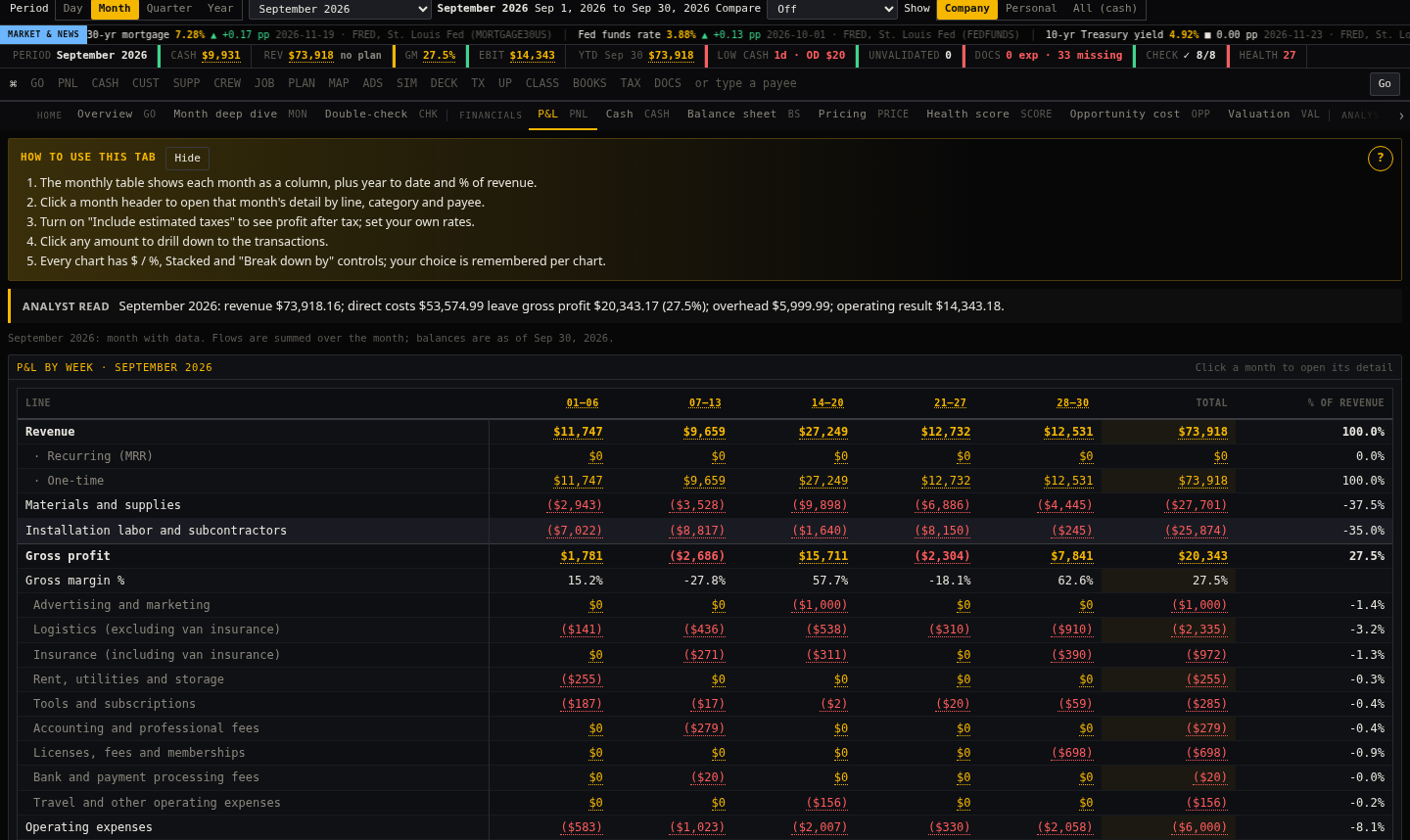
Track revenue, materials, labor, and gross margin per job, compare planned budget vs. actuals, and build new job estimates benchmarked directly on your own comparable past projects.

  • Live: Project-level P&L, margin %, and unlinked-line alerts
  • Live: Historical Estimator suggesting price, cost, and duration from your past jobs by type, sq ft, or material
  • Coming soon: Live supplier materials price catalog
app.blackbrain.black3000.com / pnl
BlackBrain P&L breakdown screen
04Live + Coming soon

Crew Cost & Hours

See what each installer or crew actually costs per hour—combining direct labor paid, entered weekly hours, allocated job materials, and each crew's share of business overhead.

  • Live: Labor $, cost/hour, allocated job costs, overhead share, and fully loaded $/hour
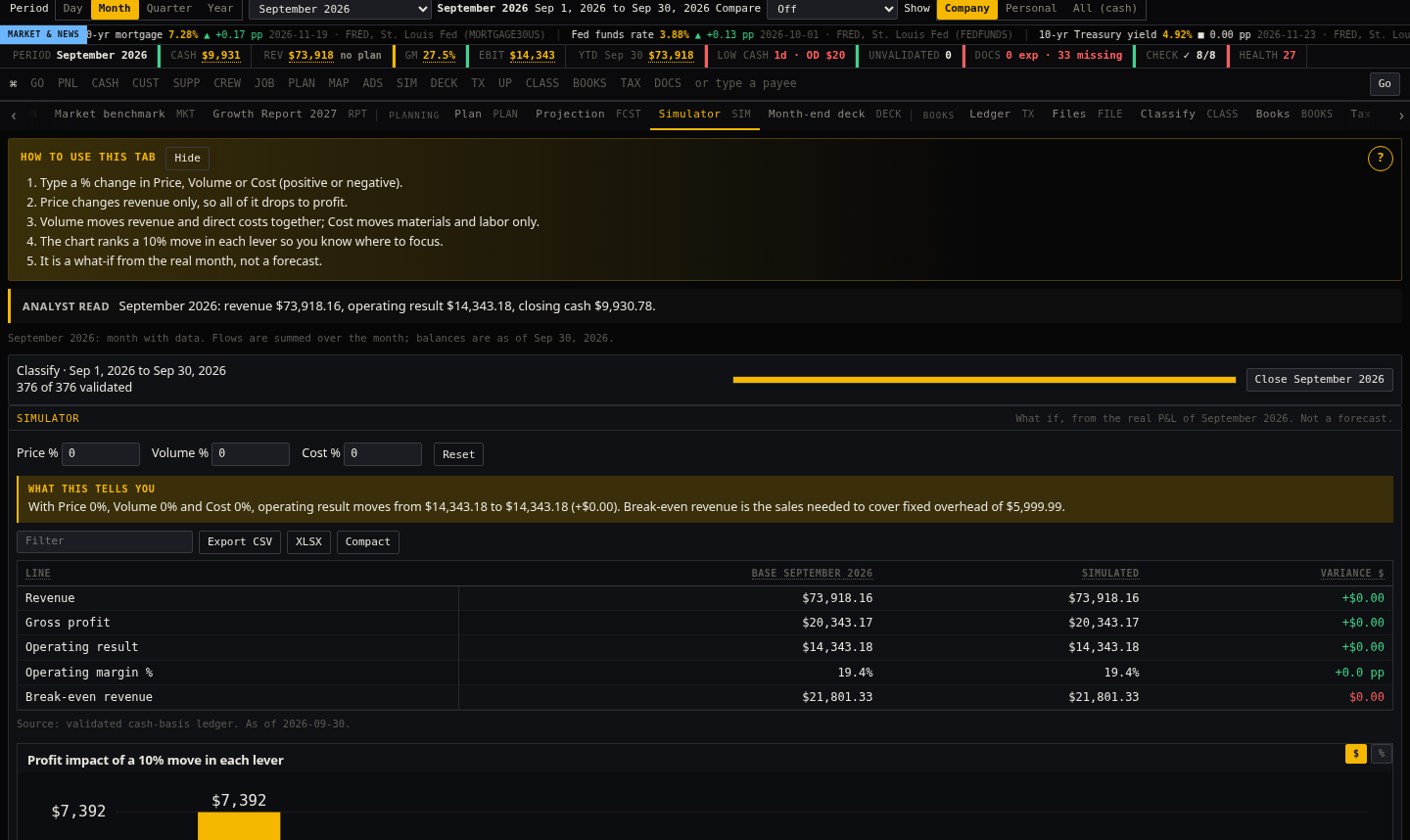
  • Live: Rate setting per crew with quick-prefill helper and pricing margin scenarios (+3% to +15%)
  • Coming soon: Automated mobile crew time clock (hours are currently entered weekly)
app.blackbrain.black3000.com / simulator
BlackBrain pricing and what-if simulator screen
05Live + Coming soon

Marketing & Leads ROI

Import your CRM lead CSV/Excel export alongside ad spend exports to link leads to real jobs, track lead-to-paid conversion, days to first payment, gross profit per lead, and campaign CPL.

  • Live: Lead-to-paid conversion, collected revenue, gross margin, and attributed ad cost per lead
  • Live: Campaign spend and CPL league table without invented ROAS
  • Coming soon: Automated live CRM API sync (currently CSV/Excel export import)
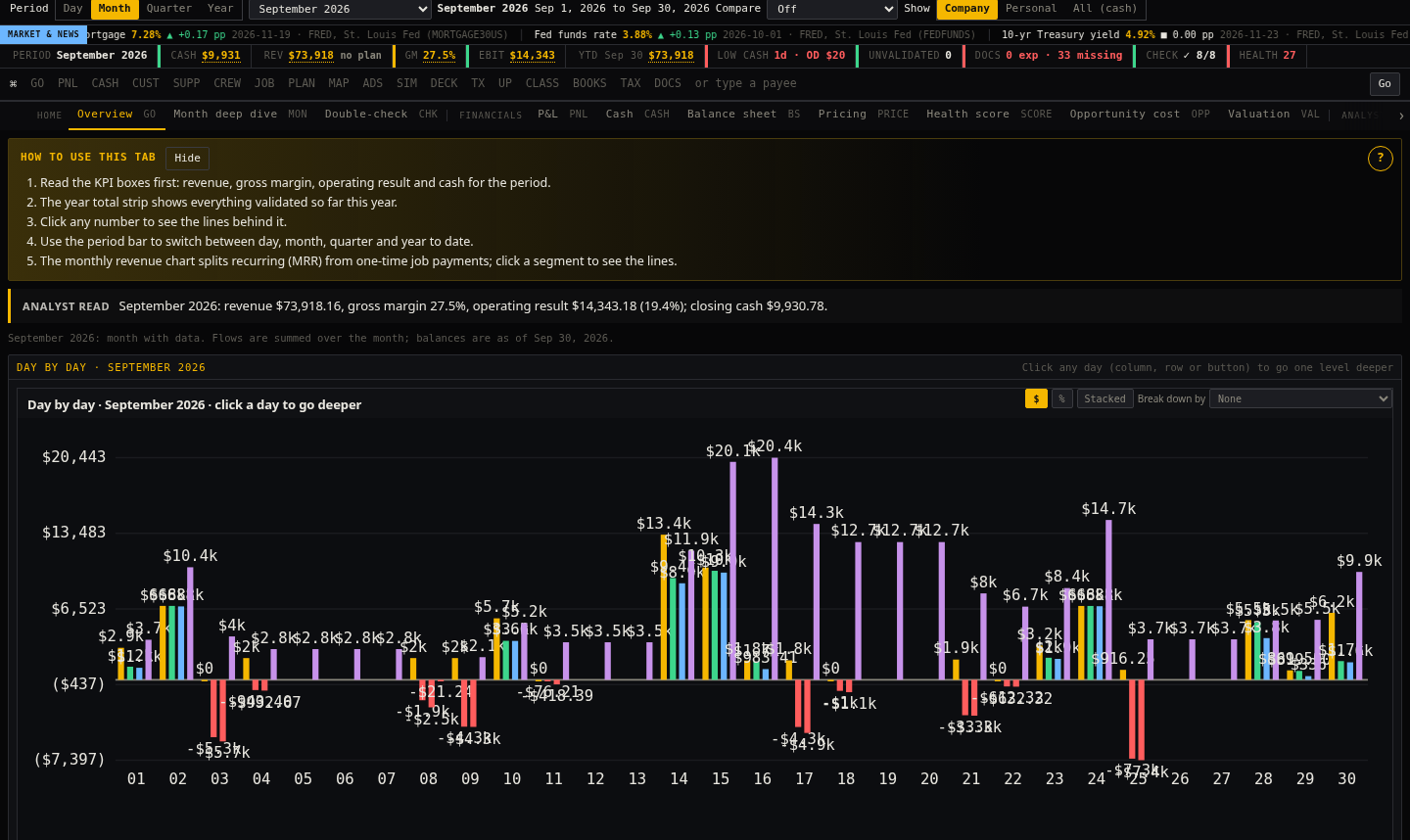
app.blackbrain.black3000.com / overview
BlackBrain financial overview and revenue screen
06Live + Coming soon

Market Intelligence

Pair your internal numbers with live US macro indicators (FRED building permits, housing starts, existing home sales, CPI, lumber PPI, Treasury yield curve), NOAA storm alerts, industry benchmarks, and an interactive project margin map.

  • Live: FRED macro ticker, yield curve, Florida construction news, and Contractor Growth Report benchmarks
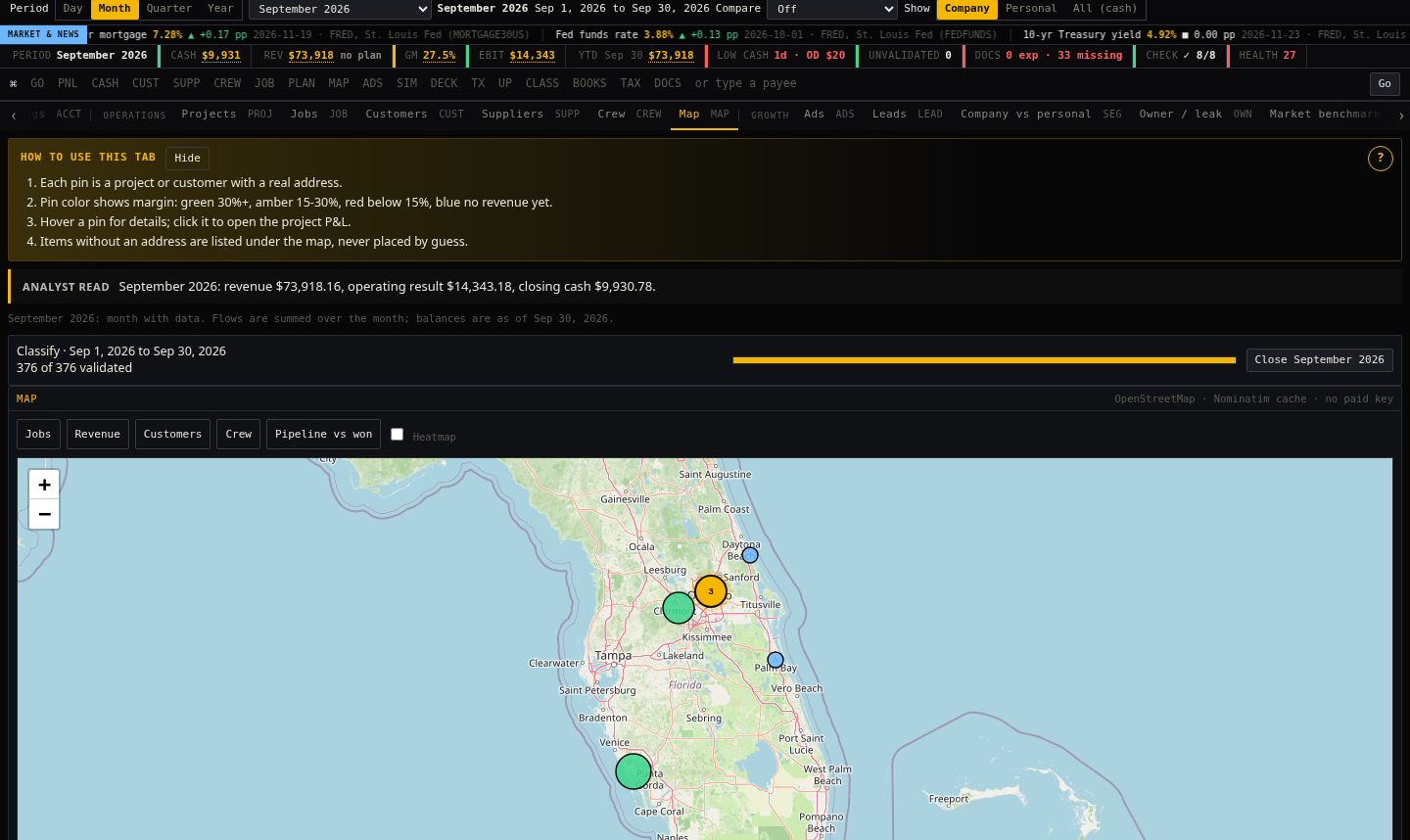
  • Live: OpenStreetMap project and CRM pin map color-coded by job margin band
  • Coming soon: Area price maps showing local market pricing across neighborhoods
app.blackbrain.black3000.com / map
BlackBrain Florida interactive project margin map
07Live

Advisory — Assigned Analyst & 1h Monthly Review

Software alone doesn't run a close. Each month, an assigned BLACK3000 financial analyst prepares a structured 1-hour review built directly from your validated period ledger—with carry-over action items and full-screen recap.

  • Live: Recurring 1-hour monthly review scheduler (.ics download & Google Calendar link)
  • Live: Period-built agenda comparing results vs. plan, cash, variances, and concentration risks
  • Live: Shareable client view vs. private analyst notes, plus 11-slide Month-End Deck & PDF recap
app.blackbrain.black3000.com / monthly-review
BlackBrain monthly close and double-check screen
08Live

Company Valuation

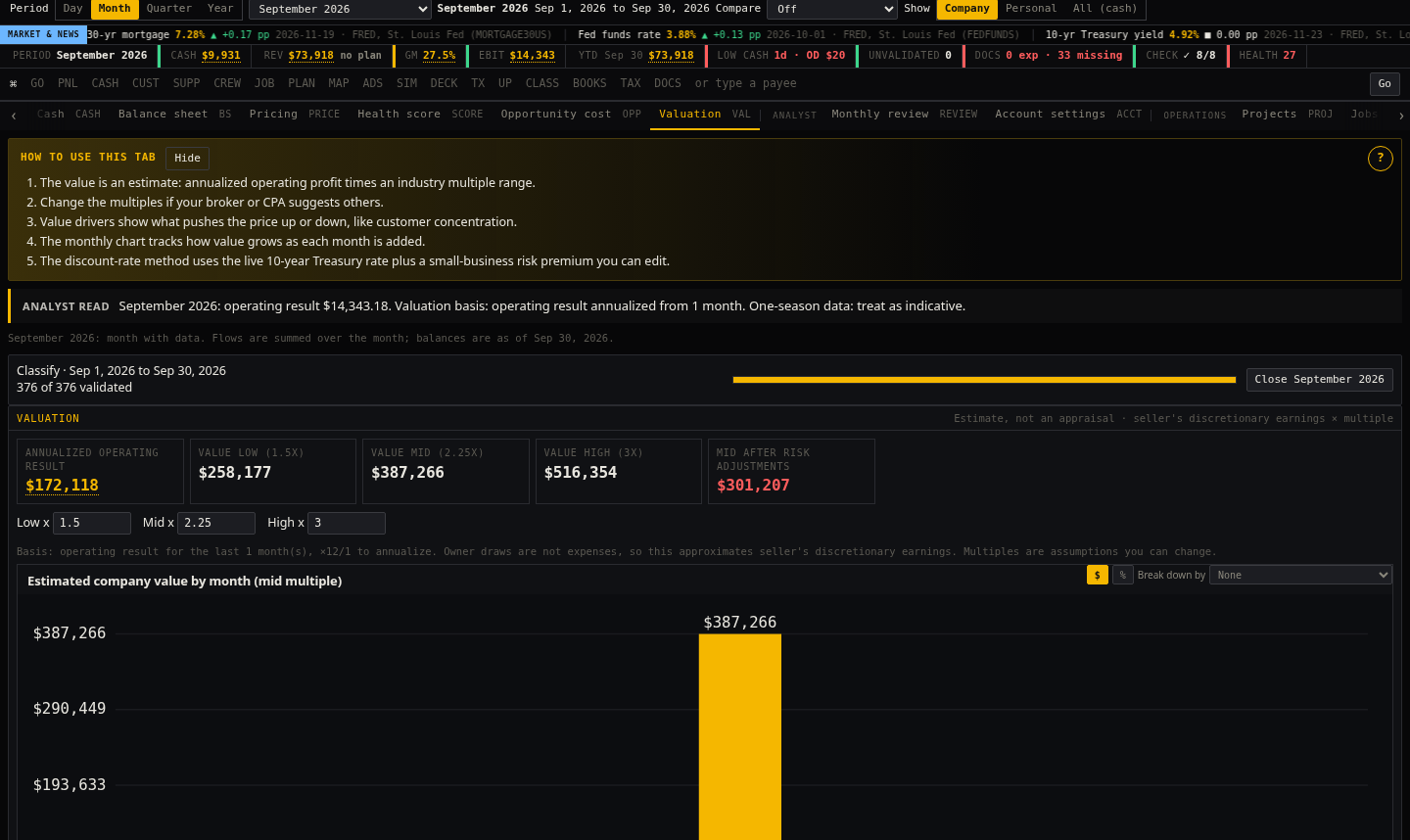
Understand what drives the transferable value of your contracting business. BlackBrain annualizes your operating result (approximating seller's discretionary earnings) across editable low, mid, and high multiples.

  • Live: Editable low/mid/high industry multiples with monthly trend chart
  • Live: Risk diagnostics for customer concentration, operating margin, history length, and job tracking
Valuation figures are planning estimates based on your ledger and chosen multiples—not a formal appraisal.
app.blackbrain.black3000.com / valuation
BlackBrain company valuation module screen

Free 1-month statement analysis

What you get in the free demo

Bring one month of your bank or card statements. On the demo call we review them with you, at no cost, and walk through:

  • A recommended cash reserve target for your business, based on that month's activity—not a fixed percentage
  • A cash-flow read: money in versus money out, and where it went
  • Practical suggestions to help you manage the business from what the statements show

See BlackBrain live with a specialist, in English, Portuguese, or Spanish. No hype, no income promises—just a walkthrough of the terminal.

Book a demo →Free demo: we analyze one month of your statements